
• Link to X
  • Link to Facebook
  • Link to Instagram
  • Link to LinkedIn
sales@centralinc.com | (800) 315-4132
Central Technologies, Inc
  • Home
  • Solutions
    • Security & Surveillance
      • Security & Surveillance Overview (Main Menu)
      • Access Control
      • Bullet Resistant Glass
      • Concealed Weapon Detection
      • Cyber Pouches
      • Video Surveillance Solutions
      • Intercoms
      • Integrated Safety, Alerting, and Communication
      • Vape Detection Sensor
    • Wireless & Networking (Main Menu)
      • Managed Network Services
      • Wired & Wireless Solutions
      • Ancillary Networking Solutions
      • Firewalls
      • Threat Detection and Control
      • Penetration Testing
      • Security Awareness Training
      • CTAC
    • Classroom Technology (Main Menu)
      • Athletic Facilities & Technology
      • Classroom Audio Systems
      • CTE & Science Solutions
      • Digital Signage
      • Epson Brightlink Projectors
      • Funding Sources for Schools
      • Interactive Panels and More
      • Interactive Gym and Floor Systems
      • Rocket Drones
      • Translation Devices
      • zSpace Virtual Reality
    • Digital Security
      • Firewalls
    • Computers & Devices
      • Configuration & Custom Imaging
      • Device Lifecycle & Buyback Solutions for Schools
    • Infrastructure
      • Network Design Services
      • Structured Cabling
    • Texas Innovation Rooms
      • ESC5 Innovation Room
      • ESC20 Innovation Room Experience
      • Texas Innovation Rooms Product Explorer
    • About
      • Certifications and Awards
      • Career Opportunities
  • News
  • Contact
    • Contact Form
    • CTAC
    • Privacy Policy
  • Click to open the search input field Click to open the search input field Search
  • Menu Menu

Student Screen Time Is Under the Microscope: Does Your District Have the Data?

How Linewize EdTech Manager helps K–12 leaders measure screen time, evaluate app usage, strengthen governance, and make smarter technology decisions.

School districts have more digital tools than ever before—learning platforms, assessment programs, intervention tools, curriculum resources, communication apps, productivity suites, and supplemental subscriptions.

But when budget season, renewal time, or a school board conversation arrives, many leaders still face a deceptively simple question: What is actually happening on district devices?

A list of purchased licenses cannot show whether a tool is being used, where adoption is strongest, how much time students spend in each application, or whether an unapproved app is creating a privacy concern. Districts need evidence—not estimates.

Five Questions Every District Should Be Able to Answer

  1. How much time are students spending on district devices?
  2. Which applications account for that time?
  3. Is usage happening at school, at home, or both?
  4. Are purchased tools being adopted across every school?
  5. Are applications approved, secure, and worth renewing?

Screen Time Is Becoming a Policy Issue

The conversation about student screen time is no longer limited to families and educators. State lawmakers are increasingly examining how technology is used in K–12 schools.

Linewize’s state-by-state tracker, updated July 20, 2026, identifies enacted, proposed, stalled, and inactive legislation addressing issues such as instructional screen time, school-device use, technology policies, privacy protections, and parent access. View the current state-by-state screen-time legislation guide.

For Tennessee districts, the issue is especially timely. The state has enacted legislation emphasizing teacher-led instruction in kindergarten through fifth grade, with digital tools serving a supporting role.

Important: Legislation changes, and district obligations differ by state. EdTech Manager is not a substitute for legal guidance. It can, however, give school leaders the usage information needed to measure, document, report, and respond to evolving expectations with greater confidence.

From “We Think” to “The Data Shows”

Linewize EdTech Manager brings student screen time, district-wide application usage, licensing, spending, adoption, privacy, and compliance information into one platform.

Instead of relying on surveys or anecdotes, district leaders can explore actual usage by district, school, grade, class, teacher, student, and application. That detail can reveal patterns a district-wide total may hide.

A platform might appear successful overall while seeing strong adoption at one campus and limited use at another. That difference may point to a training need, an implementation challenge, an access issue, or simply a tool that is not the right fit for every setting.
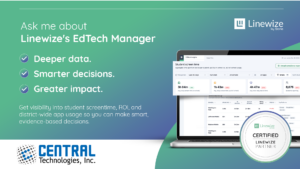
Linewize EdTech Manager provides visibility into screen time, ROI, and district-wide application usage.

Understand Student Screen Time in Context

A single total does not tell the whole story. EdTech Manager can help districts examine average daily screen time by district, school, grade, and individual student while separating in-school activity from out-of-school use.

That allows leaders to move beyond “How much screen time?” and ask better questions:

  • Which applications account for the greatest share of daily use?
  • Does device use vary significantly between schools or grade levels?
  • Are students engaging with district-assigned learning tools during instructional time?
  • Is a meaningful portion of device activity occurring outside school?
  • Where might a closer review or targeted conversation be appropriate?

The Share of Screen Time report can also show which applications are driving usage, giving technology leaders evidence for planning, reporting, and renewal discussions.

Spend Smarter

Identify unused, expired, or low-usage licenses before renewal decisions are made.

Strengthen Governance

Review app approvals, privacy agreements, security vetting, and changing risk information.

Support Adoption

See where tools are succeeding and where schools or educators may need additional support.

Make Smarter Renewal and Budget Decisions

A license may be available to thousands of students—but availability does not equal adoption. EdTech Manager helps districts identify unused, underused, expired, or low-usage applications and compare adoption across schools and application categories.

This is not simply about cutting costs. It is about protecting the tools that deliver value while identifying spending that can be redirected toward higher-priority needs. When decisions are supported by actual usage data, technology leaders can have more productive conversations with curriculum teams, finance departments, administrators, and school boards.

Strengthen Application Privacy and Governance

Every new application can introduce questions about approval, student data, privacy, and security. EdTech Manager provides visibility into the district’s app inventory and approval status, helping teams identify heavily used unapproved applications, review third-party security vetting, and respond when an app’s security status changes.

Districts can also track data privacy agreements in one location. Together, these capabilities create a clearer process for understanding which apps are present, whether they are approved, how widely they are used, and which documentation is on file.

Improve Adoption Without Turning Data Into a Scorecard

Sometimes a district has selected the right tool, but implementation is uneven. Adoption data can help instructional technology and professional learning teams identify where more support is needed, recognize strong implementation, and replicate successful practices across schools.

The goal is not to use application data as a punitive scorecard. It is to use evidence as a starting point for better support, more equitable implementation, and stronger technology planning.

See What Your District Data Reveals—At No Cost

Qualifying U.S. schools can participate in a no-cost, two-week EdTech Audit with limited technical setup.

1. Deploy – Linewize works with your district to get EdTech Manager running.
2. Measure – The platform catalogs app usage, costs, and security ratings for two weeks.
3. Review – Your district receives findings covering ROI, return on learning, and compliance.

Use the results to help guide technology strategy, budget decisions, application governance, and future planning.

Ask About the No-Cost Audit

Ready to See What Your District’s Data Can Reveal?

Contact Central Technologies to discuss Linewize EdTech Manager or the no-cost EdTech Audit.

sales@centralinc.com  |  800-315-4132

Search Search

Recent Posts

  • Central Technologies Expands Technology Solutions and Support into North Carolina
  • Linewize EdTech Manager: Track Student Screen Time
  • The Right Screen for the Right Room: A K–12 Guide to Panels, Projectors, and Portable Display Technology
  • Central Technologies Is Proud to Be an HPE Networking Top 15 E-Rate Partner
  • Athletic Facility Technology: What Athletic Directors Are Planning for Next Season

Recent Comments

    Archives

    • August 2026
    • June 2026
    • May 2026
    • April 2026
    • March 2026
    • February 2026
    • January 2026
    • March 2020
    • November 2019
    • April 2019
    • August 2018
    • July 2018
    • January 2018
    • November 2017
    • September 2017
    • July 2017
    • May 2017
    • February 2012

    Categories

    • Certifications and Awards
    • Events
    • News

    CENTRAL TECHNOLOGIES HEADQUARTERS

    HEADQUARTERS:
    14488 Old Stage Road
    Lenoir City, TN 37772
    Phone: 865.566.0230
    Toll-Free: 800.315.4132
    Fax: 865.312.8190

    WEST TENNESSEE

    MEMPHIS OFFICE
    2170 Business Center Dr., Suite 1
    Memphis, TN 38134
    Phone: 865.566.0230
    Toll-Free: 800.315.4132
    Fax: 865.312.8190

    JACKSON OFFICE
    56 N Conalco Dr.
    Jackson, TN 38305
    Phone: 865.566.0230
    Toll-Free: 800.315.4132
    Fax: 865.312.8190

    EAST TENNESSEE

    KNOXVILLE WAREHOUSE LOCATION
    6101 Industrial Heights Dr. NW
    Knoxville, TN 37909

    CLEVELAND OFFICE
    2896 Bates Pike SE, Cleveland, TN 37323
    Phone: 865.566.0230
    Toll-Free: 800.315.4132
    Fax: 865.312.8190

    MIDDLE TENNESSEE

    COOKEVILLE OFFICE
    435 Universal Dr., Suite B
    Cookeville, TN 38506

    Phone: 865.566.0230
    Toll-Free: 800.315.4132
    Fax: 865.312.8190

    LA VERGNE OFFICE
    1230 Heil Quaker Blvd.
    La Vergne, TN 37086

    Phone: 865.566.0230
    Toll-Free: 800.315.4132
    Fax: 865.312.8190

    UPPER EAST TENNESSEE

    TRI-CITIES OFFICE
    113 Regional Park Dr. 
    Kingsport, TN 37660
    Phone: 865.566.0230
    Toll-Free: 800.315.4132
    Fax: 865.312.8190

    Licenses

    TN Alarm Contractors License
    # 2138

    General Contractors License
    # 00067550

    TX DPS License
    # B30873601

    © Copyright 2023 - Central Technologies, Inc. | All Rights Reserved.
    • Link to X
    • Link to Facebook
    • Link to Instagram
    • Link to LinkedIn
    Link to: The Right Screen for the Right Room: A K–12 Guide to Panels, Projectors, and Portable Display Technology Link to: The Right Screen for the Right Room: A K–12 Guide to Panels, Projectors, and Portable Display Technology The Right Screen for the Right Room: A K–12 Guide to Panels, Projectors, and... Link to: Central Technologies Expands Technology Solutions and Support into North Carolina Link to: Central Technologies Expands Technology Solutions and Support into North Carolina Central Technologies announces its expansion into North Carolina with a connected digital map and leading partners HPE and Motorola Solutions.Central Technologies Expands Technology Solutions and Support into North Ca...
    Scroll to top Scroll to top Scroll to top

    This site uses cookies. By continuing to browse the site, you are agreeing to our use of cookies.

    OK

    Cookie and Privacy Settings


    How we use cookies

    We may request cookies to be set on your device. We use cookies to let us know when you visit our websites, how you interact with us, to enrich your user experience, and to customize your relationship with our website.

    Click on the different category headings to find out more. You can also change some of your preferences. Note that blocking some types of cookies may impact your experience on our websites and the services we are able to offer.

    Essential Website Cookies

    These cookies are strictly necessary to provide you with services available through our website and to use some of its features.

    Because these cookies are strictly necessary to deliver the website, refusing them will have impact how our site functions. You always can block or delete cookies by changing your browser settings and force blocking all cookies on this website. But this will always prompt you to accept/refuse cookies when revisiting our site.

    We fully respect if you want to refuse cookies but to avoid asking you again and again kindly allow us to store a cookie for that. You are free to opt out any time or opt in for other cookies to get a better experience. If you refuse cookies we will remove all set cookies in our domain.

    We provide you with a list of stored cookies on your computer in our domain so you can check what we stored. Due to security reasons we are not able to show or modify cookies from other domains. You can check these in your browser security settings.

    Google Analytics Cookies

    These cookies collect information that is used either in aggregate form to help us understand how our website is being used or how effective our marketing campaigns are, or to help us customize our website and application for you in order to enhance your experience.

    If you do not want that we track your visit to our site you can disable tracking in your browser here:

    Other external services

    We also use different external services like Google Webfonts, Google Maps, and external Video providers. Since these providers may collect personal data like your IP address we allow you to block them here. Please be aware that this might heavily reduce the functionality and appearance of our site. Changes will take effect once you reload the page.

    Google Webfont Settings:

    Google Map Settings:

    Google reCaptcha Settings:

    Vimeo and Youtube video embeds:

    Other cookies

    The following cookies are also needed - You can choose if you want to allow them:

    Privacy Policy

    You can read about our cookies and privacy settings in detail on our Privacy Policy Page.

    Privacy Policy
    Accept settingsHide notification only